Editor Pane
The editor pane is where users write Python3, Scala, or SQL code inside the Notebook.
Notebook Overview
The Notebook feature supports:
- Real-time coding
- Interactive analytics
- Collaboration
- Support for Python3, Scala, and SQL notebooks
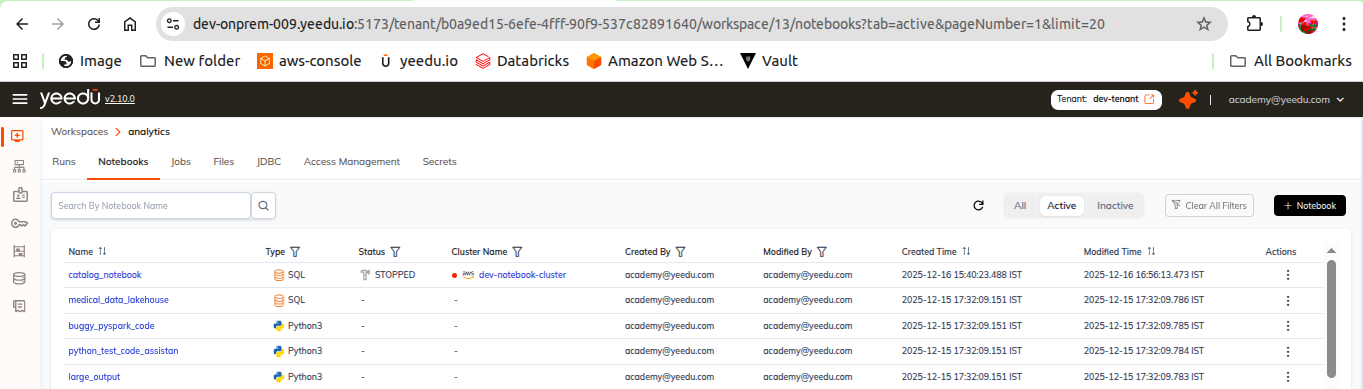
Notebook List View
Each notebook entry displays:
- Name – Name of the notebook
- Type – Python3, Scala, or SQL
- Status – Current state of the notebook
- Cluster – Cluster linked to the notebook
- Created By
- Modified By
- Start Time
- Modified Time
- Action Tab:
- Edit
- Disable / Enable
Using Path Field
The Path field allows users to:
- Upload a
.ipynbfile - Reference notebook files from workspace storage
- Auto-generate a notebook file if none exists
If no path is provided, a new .ipynb is automatically created under: